

NSA Codebreaker 2025 T1
A walkthrough of the NSA Codebreaker 2025 T1 challenge detailing the forensic analysis of a Linux EXT2 image to uncover a hidden malicious artifact and extract its SHA-1 hash.

With your help, the team concludes that there was clearly a sophisticated piece of malware installed on that endpoint that was generating some network traffic. Fortunately, DAFIN-SOC also has an IDS which retained the recent network traffic in this segment.
DAFIN-SOC has provided a PCAP to analyze. Thoroughly evaluate the PCAP to identify potential malicious activity.
Downloads:
Prompt:
To start, I ran the file command to verify the file type.
traffic.pcap: pcap capture file, microsecond ts (little-endian) - version 2.4 (Linux cooked v2, capture length 65535)
This confirmed that the file is a network packet capture. To analyze the packet capture, we will use Wireshark.
Upon opening the network capture in Wireshark, it can be observed that there was a total of 2,344 packets utilizing various protocols. Utilizing Wireshark’s built-in statistics feature, we can understand the Protocol Hierarchy and Endpoints.
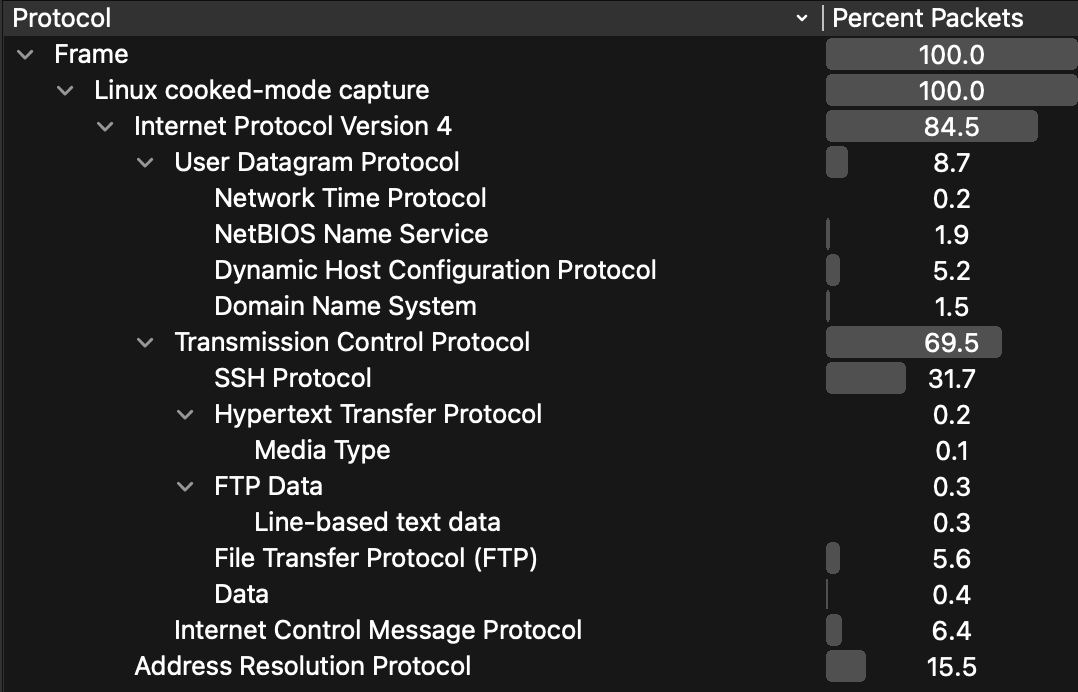
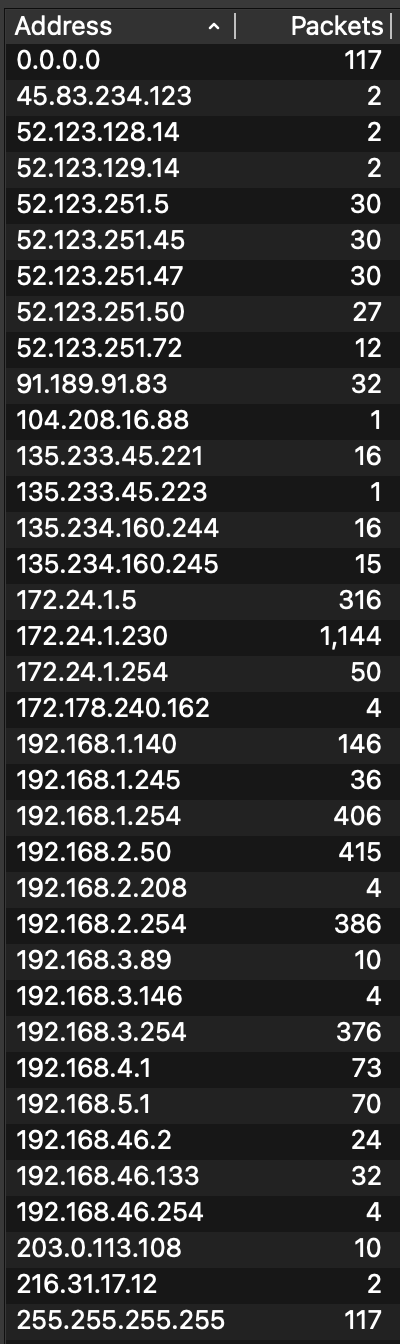
This statistical overview provided insight into:
Typically, a large percentage of user traffic is over TCP, so we began by examining TCP streams. Navigating to the first TCP packet, we can right-click and select Follow > TCP Stream. This view displays all packets associated with a given stream, with both source and destination.
TCP Stream [0] revealed FTP traffic. Since FTP transmits data unencrypted, the command, response, and data were visible:
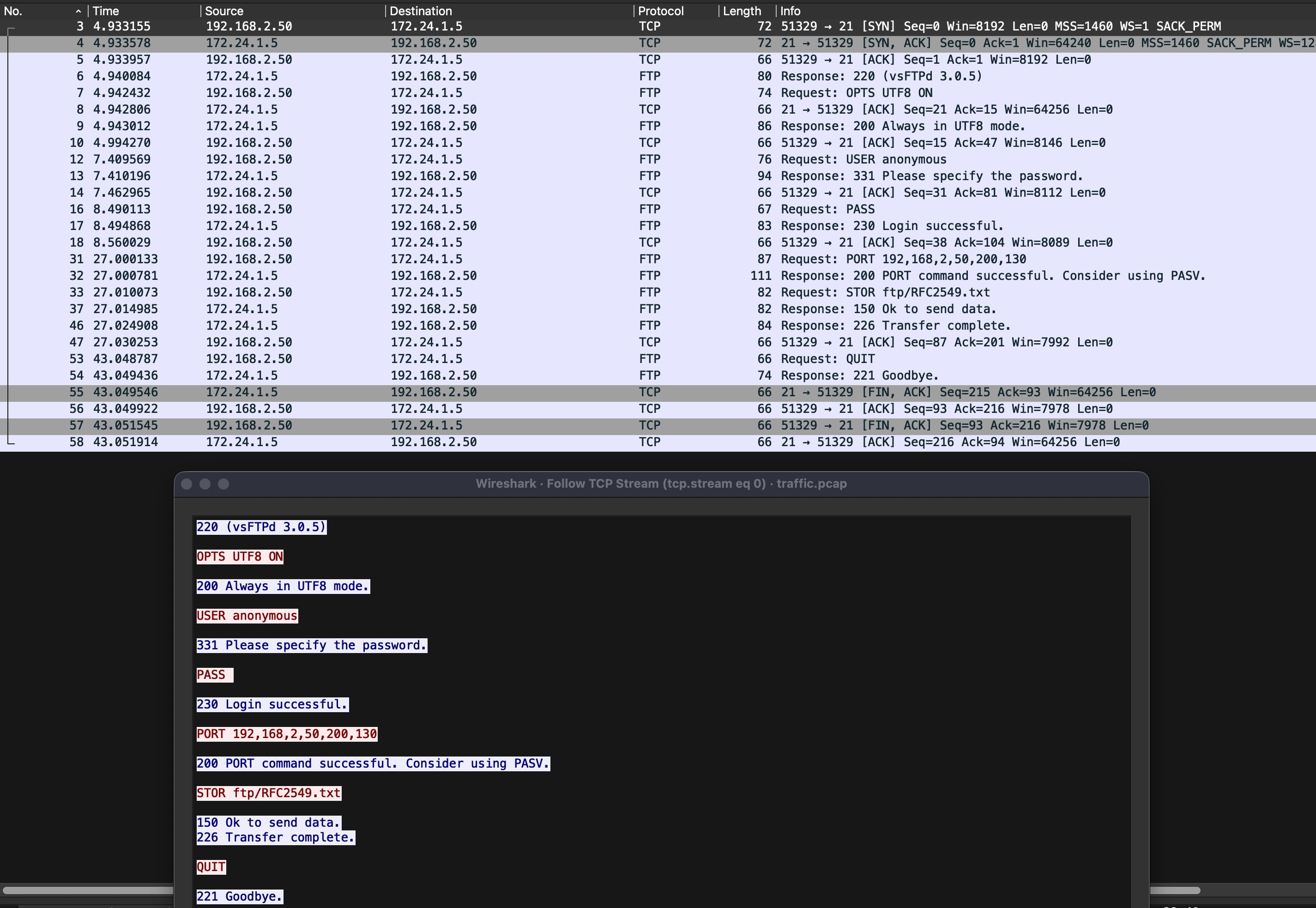
Continuing this methodical approach for each stream, we can enumerate traffic between endpoints, looking for anomalies that indicate malicious activity.
TCP Stream [19] immediately stood out as anomalous:
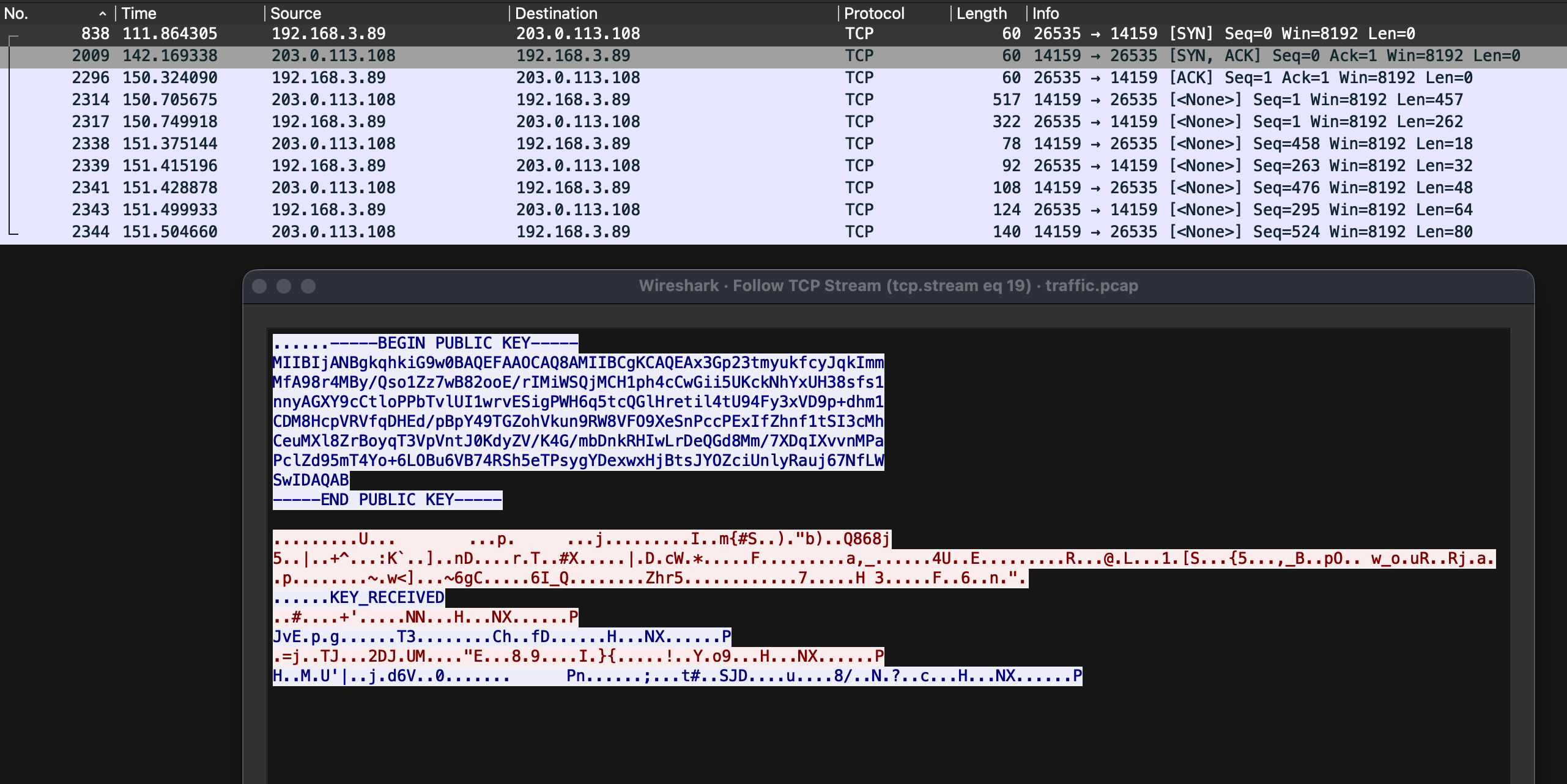
This stream showed communication between local IP 192.168.3.89 and remote IP 203.0.113.108. While potentially benign, this exchange was the only notable deviation from typical traffic patterns. I applied Wireshark filters to track all communications involving these addresses:
ip.addr == 192.168.3.89
ip.addr == 203.0.113.108
Interestingly, these addresses appeared nowhere else in the capture, except in TCP Stream [19]. The ip.addr filter searches IPv4 header fields, so I expanded my search to look for the string value “203.0.113.108” in any packet. The string search returned a hit for packet 2027. This packet was a DNS request originating from 192.168.3.146, a local client, requesting the DNS query for archive.ubuntu.com, which was sent to the local DNS server at 192.168.3.254. The DNS Server responded, stating that the IP address for archive.ubuntu.com is 203.0.113.108.

To verify that this was a legitimate Ubuntu archive IP address, I used tools such as Shodan and IP lookup services. The results confirmed this was not a genuine Ubuntu archive:
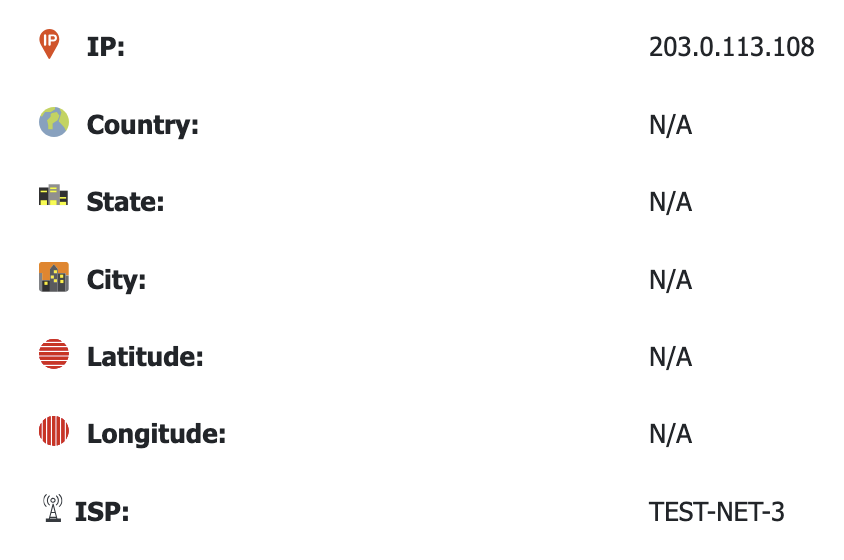
While 203.0.113.108 is clearly malicious, the challenge prompt asks for IP addresses assigned to the malicious device. Since 203.0.113.108 is a remote address, it’s not assigned to the local device. However, the DNS server 192.168.3.254 is local and malicious, making it our first confirmed address.
First malicious IP identified: 192.168.3.254
Now that there is a foothold for a malicious IP address, I used 192.168.3.254 as a filter in Wireshark to see where it was used in the capture.
ip.addr == 192.168.3.254
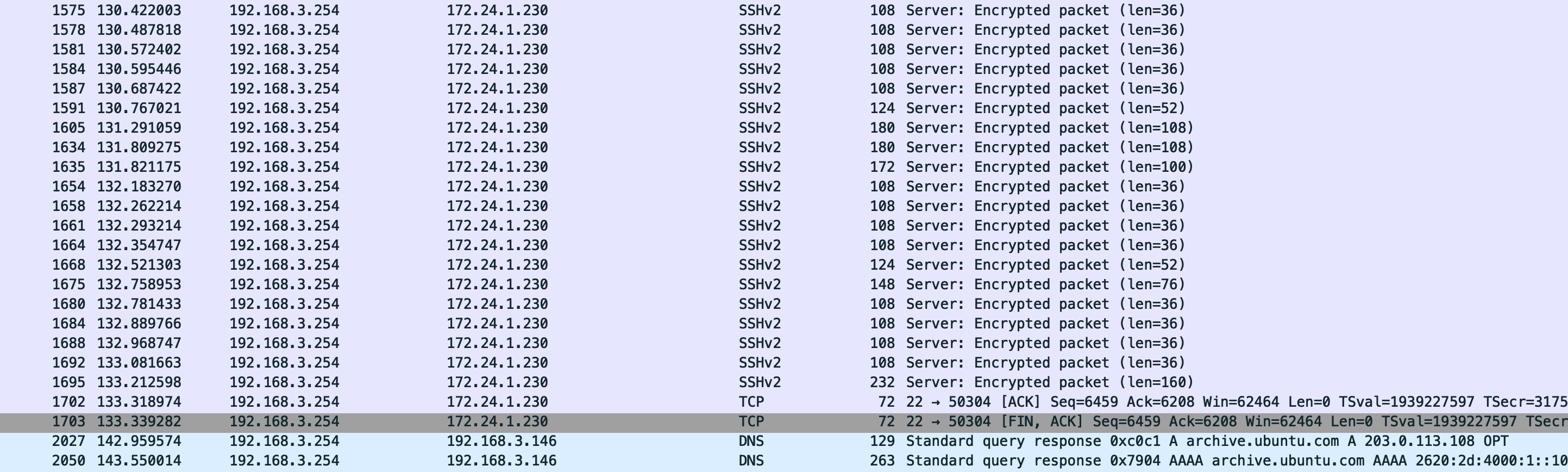
To track all IP addresses assigned to the malicious device, I pivoted to MAC address filtering. In the protocol breakdown pane, I identified Linux cooked capture containing Source: VMware_77:42:f6 (00:0c:29:77:42:f6).
Note: While MAC addresses can be spoofed or modified, the NSA was being nice this time :)
The filtered traffic revealed additional communication involving 192.168.5.1.
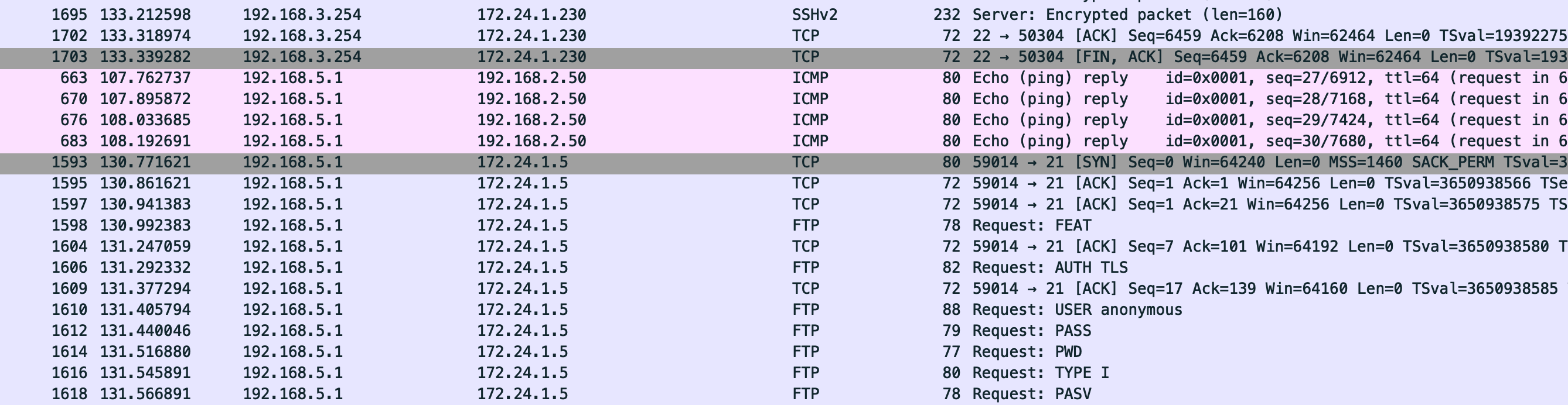
Second malicious IP identified: 192.168.5.1
Applying the 192.168.5.1 filter revealed FTP traffic. FTP uses two channels: port 21 for commands and port 20 (in active mode) or an ephemeral port (in passive mode) for data transfer.
The packet capture showed the following FTP command sequence from 192.168.5.1:
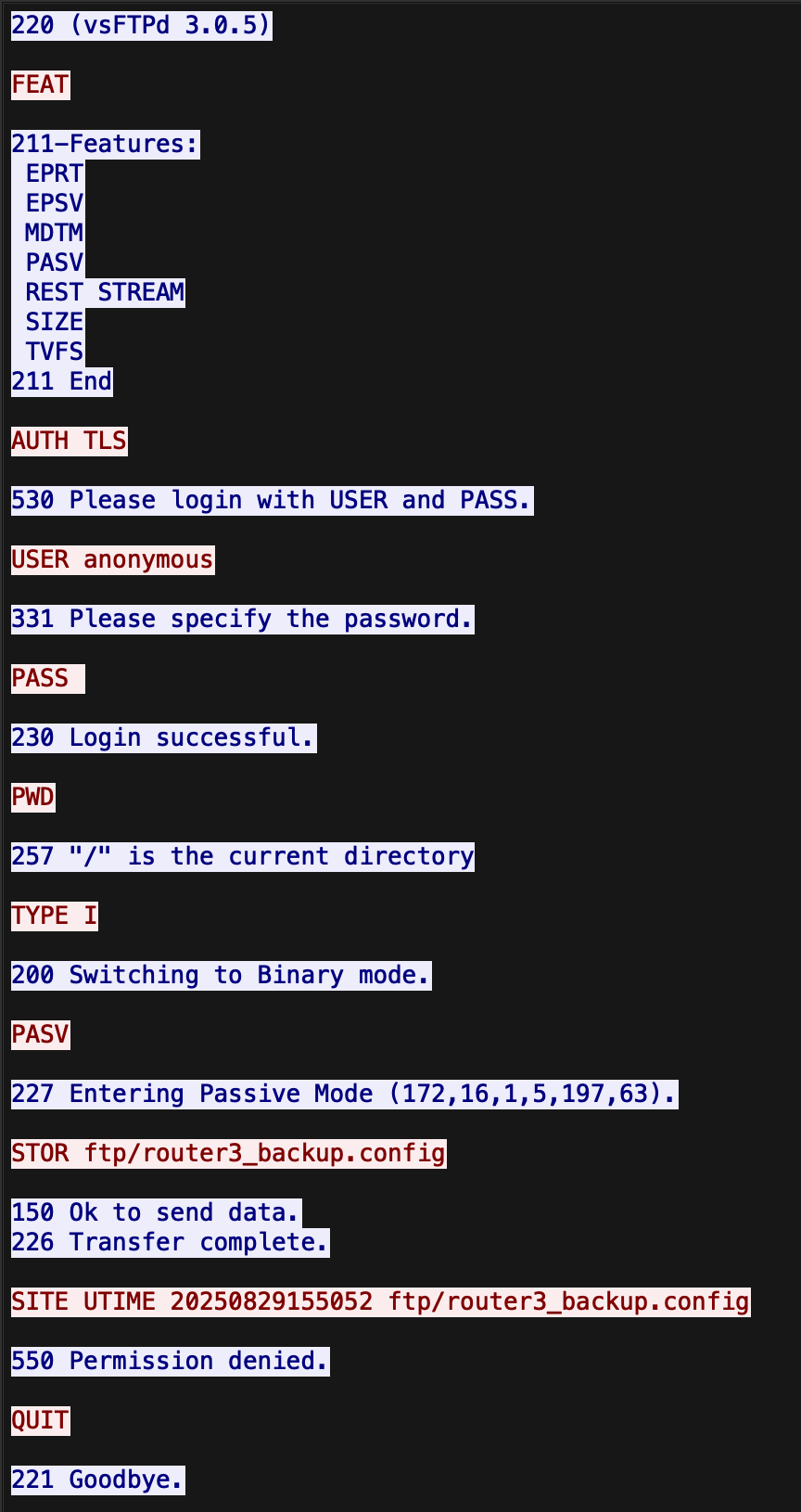
TLDR of the FTP traffic:
TYPE I: Binary transfer mode initiatedPASV: Passive mode enabled, using an ephemeral port for data transferSTOR ftp/router3_backup.config: File upload attempted
Examining the subsequent FTP data stream revealed the contents of router3_backup.config:
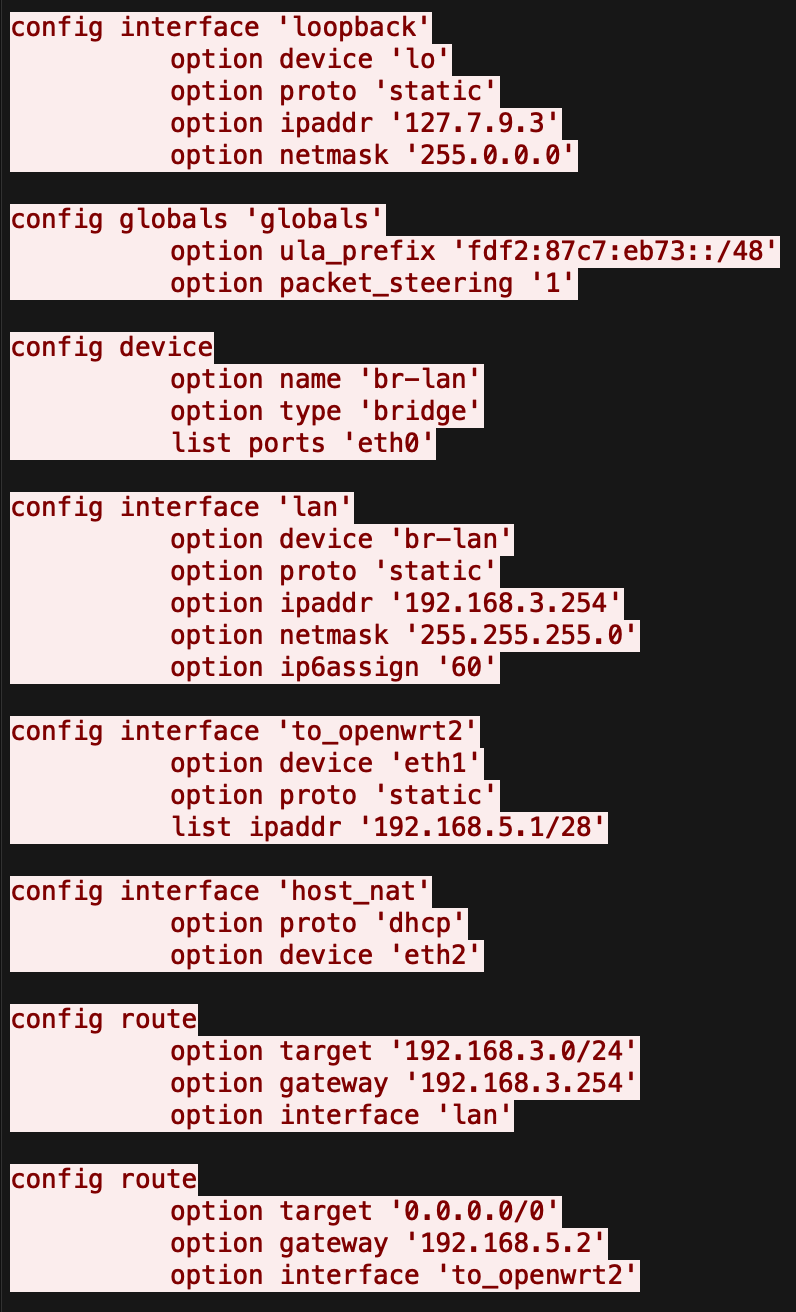
The key malicious element is the loopback interface configured with the non-standard IP address 127.7.9.3 instead of the typical 127.0.0.1. This creates a subtle backdoor that appears to be localhost-only but could evade typical scans, potentially allowing the attacker to run covert services or establish persistent access.
Third malicious IP identified: 127.7.9.3
The IP addresses assigned to the malicious device are:
192.168.3.254
192.168.5.1
127.7.9.3
Badge:

A walkthrough of the NSA Codebreaker 2025 T1 challenge detailing the forensic analysis of a Linux EXT2 image to uncover a hidden malicious artifact and extract its SHA-1 hash.
In this write-up for the picoCTF challenge "Investigating Reversing 0," we tackle the transformation of flag data in mystery.png. By analyzing how the program modifies the data and applying the reverse logic, we’ll decode the hidden flag.
In this write-up for the picoCTF challenge "WebNet1", we decrypt TLS traffic using a provided private key. Follow along as we use Wireshark to extract decrypted HTTP files and uncover the flag through analysis.